Turo
Bring in the Turo trips you already run, next to your direct bookings.
Fleetwire imports your Turo trips and blocks those dates on your direct-booking storefront, so a direct renter can never book a car that's already out on a marketplace trip. Grow direct without risking a marketplace cancellation.
14-day free trial · No credit card · Included on every plan
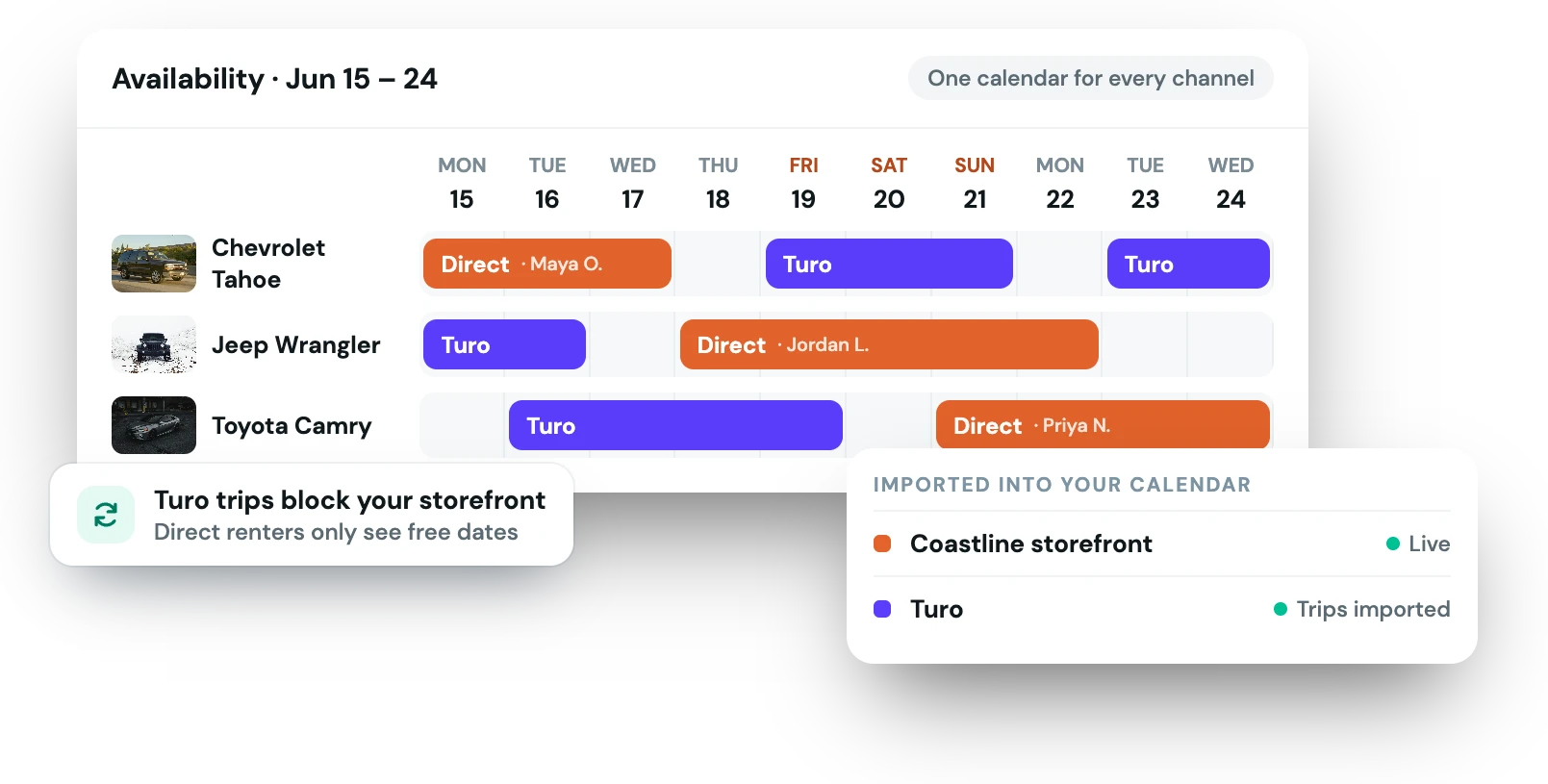
The moment you take bookings in more than one place, a spreadsheet stops being enough. A single missed update turns into a double booking — and a canceled trip is the fastest way to wreck the marketplace rating you worked to build. Fleetwire pulls every marketplace trip into the same calendar as your direct bookings instead.
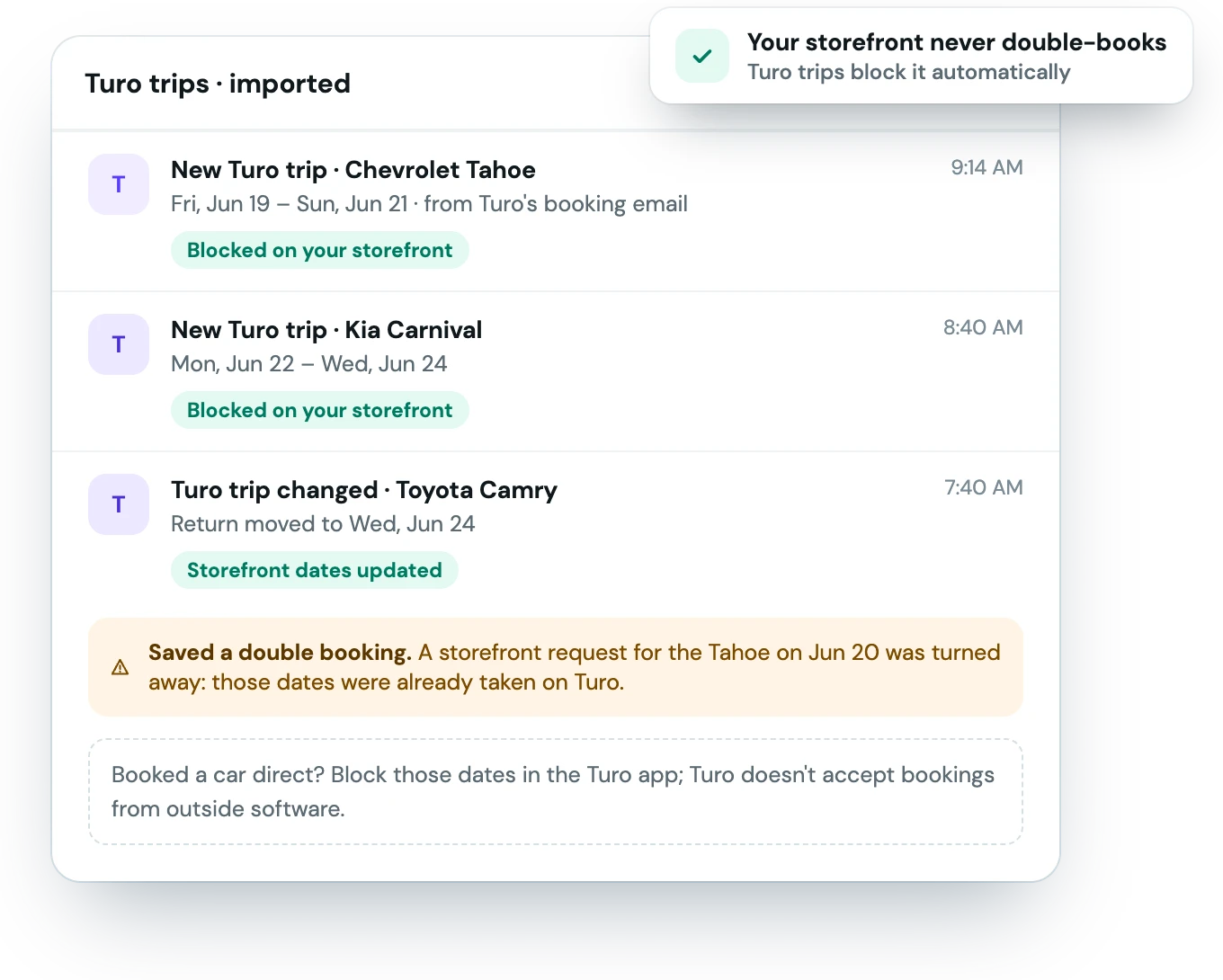
Connect Turo and Fleetwire keeps your storefront's availability current in the background.
Forward Turo's booking emails to Fleetwire and match each car to its Turo listing.
Turo trips import as their booking emails arrive, usually within a minute.
Imported trips close those dates for direct renters, with no manual calendar wrangling.
Keep the demand marketplaces bring while you build the direct channel that keeps more of every booking.
Bring in the Turo trips you already run, next to your direct bookings.
Turo trips import as their emails arrive, usually within a minute. No end-of-day reconciliation.
See every trip, every channel, on a single timeline you can actually trust.
Fleetwire imports Turo trips from Turo's booking emails, forwarded to Fleetwire. See the integrations page for the current list.
On your storefront, yes: once a marketplace trip is imported, a direct renter can't book those dates. The other direction is manual. Turo doesn't let outside software add bookings, so when a car is booked direct, block those dates in the marketplace app.
No — and Fleetwire tells you that plainly. Taking a marketplace-sourced trip off-platform violates their terms. The import is for running both channels cleanly; the direct channel is for demand you source yourself.
Turo trips import as soon as Turo's booking email reaches Fleetwire.
The Fleetwire app
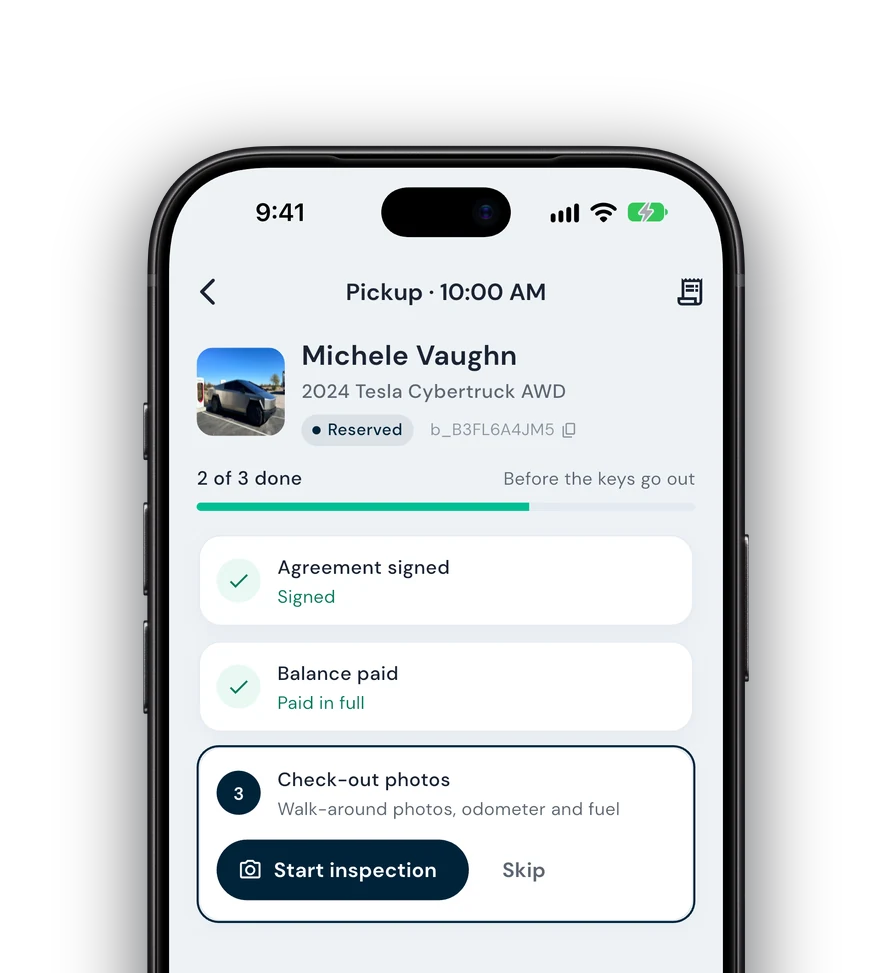
Everything on this page also works from your phone: check renters in and out, collect payments and get agreements signed next to the car, synced with your dashboard.
Guided check-in — signature, payment and photos before the keys go out.
Team roles — lot staff run handoffs without seeing the books.
Trailers, boats & more — every kind of rental on one schedule.