Bring your own contract
Your terms, not a generic template. Mileage limits, fuel policy, liability, and more.
Fleetwire sends your rental agreement to every renter who books, and you can go further: require the signature before they pay, so no reservation confirms without it. No printer, no clipboard, no "I'll sign it at pickup."
14-day free trial · No credit card · Available on Standard and up
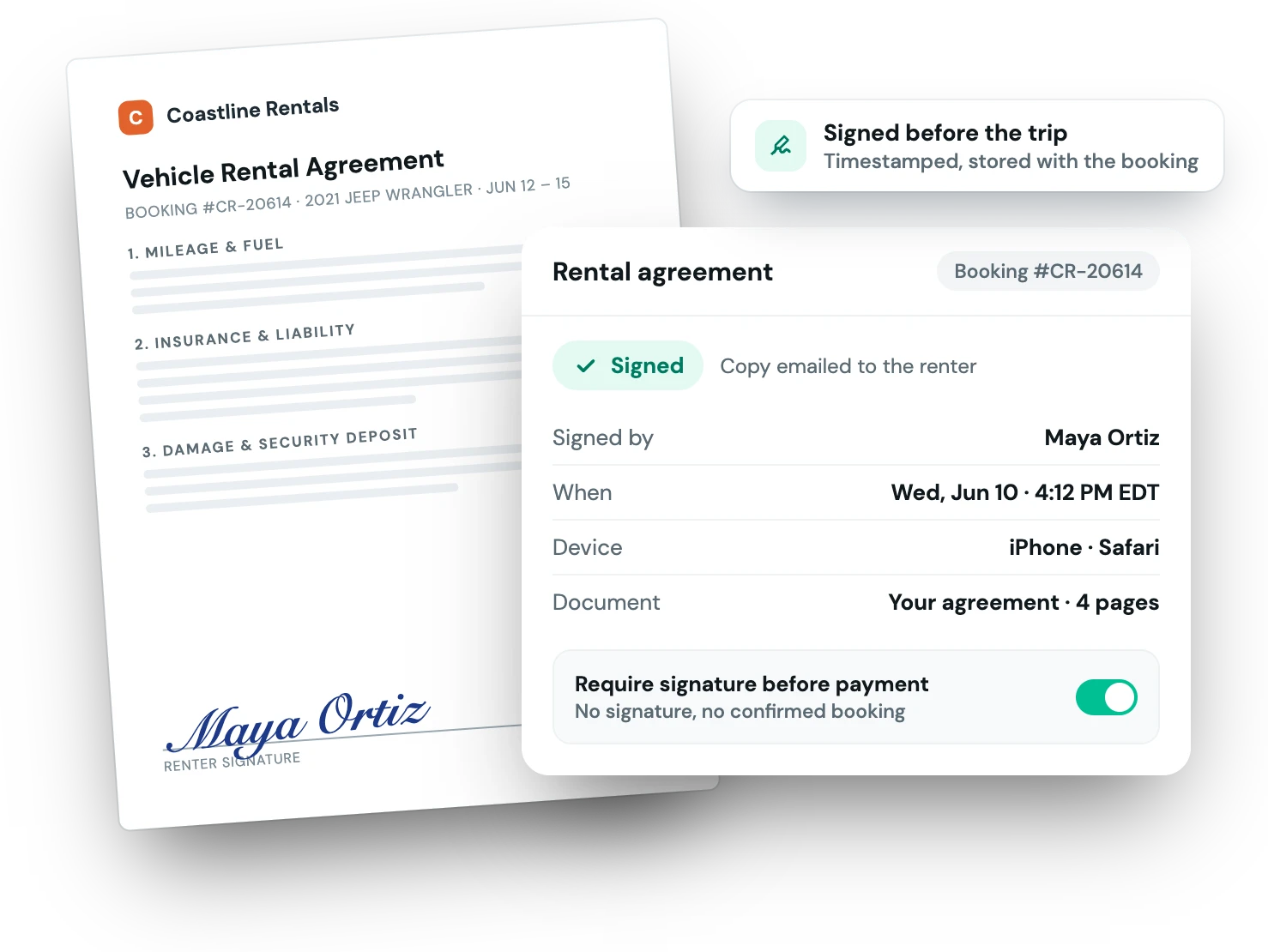
When the paperwork lives on paper, or doesn't get signed at all, you're exposed the moment something goes wrong. With Fleetwire the terms are agreed to, timestamped, and stored with the booking, and you decide whether a renter can pay before signing.
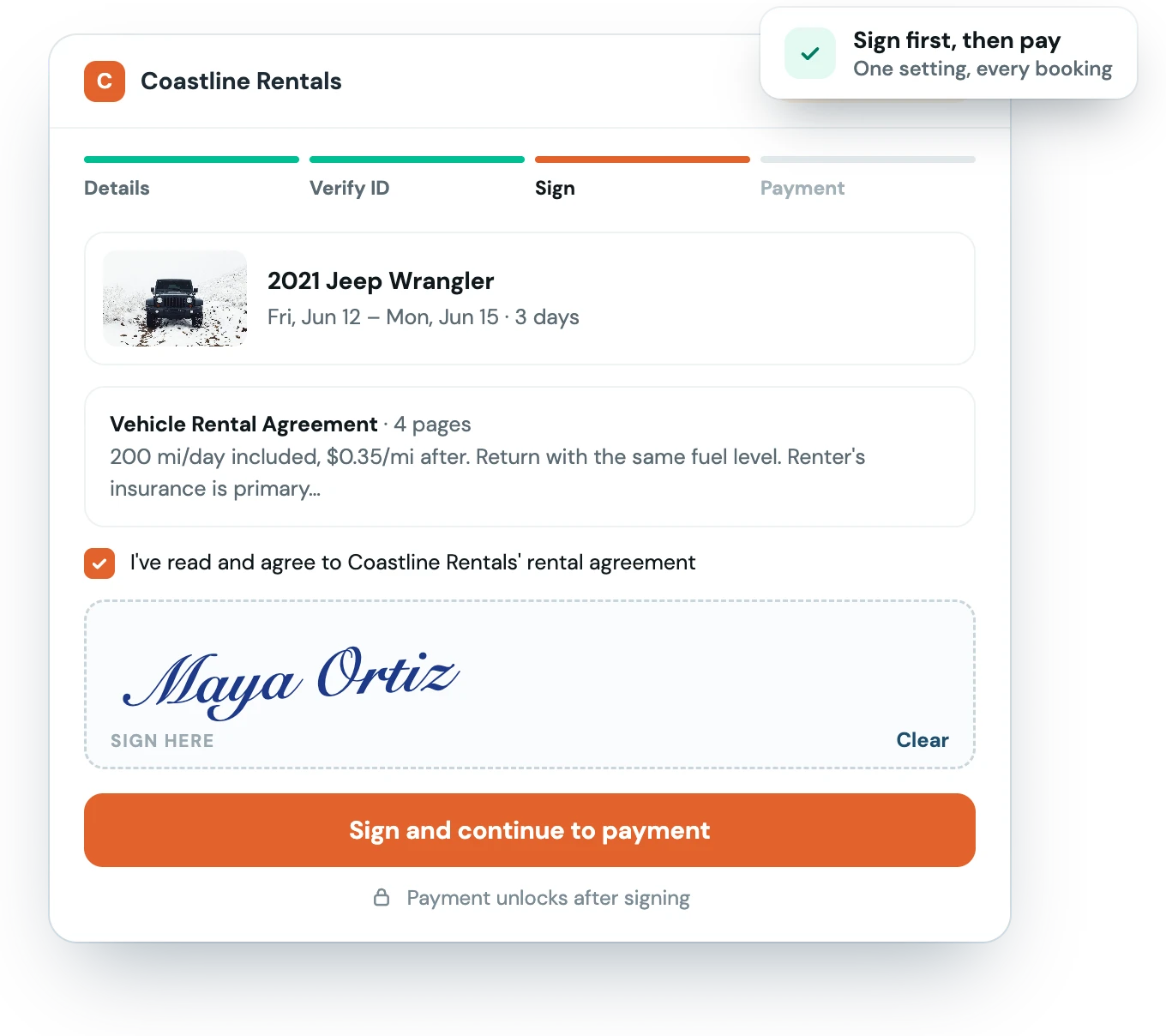
Set up your agreement a single time. From then on it's part of the flow, automatically.
Bring your own rental contract and terms — Fleetwire turns it into a signable document (an envelope).
The renter reviews and signs on their phone. By default that's right after they book. Require it before payment, and they sign as soon as they submit their details: their dates are held for 30 minutes while they do, and payment comes only after.
The signed copy is stored on the reservation and emailed to the renter, so both of you have it.
E-sign lives in the same place as your bookings, payments and deposits: one flow, one record.
Your terms, not a generic template. Mileage limits, fuel policy, liability, and more.
Make signing a condition of booking from your online store. If a renter doesn't sign, nothing is charged and the dates go back on the calendar.
Every signed envelope stays attached to its booking, so you can pull it up in seconds if you ever need it.
Yes, that's the point. Upload your existing contract and terms, and Fleetwire turns it into the document your renters sign. You're not locked into a generic template.
Electronic signatures are legally recognized for rental agreements in the US and most jurisdictions. Each signature is captured with a timestamp and stored with the booking as your record.
You choose. By default they book first and sign afterwards, from their confirmation page or the email we send. If you turn on "Require a signed agreement before payment," they sign right after entering their details, before any payment is taken, and the reservation only confirms once they have.
It applies to bookings made through your online store, on listings that have an agreement attached. Reservations you create yourself in the dashboard aren't blocked; you can send those for signature by email.
E-signed agreements are included on the Standard plan and above. See the pricing page for the full breakdown.
The Fleetwire app
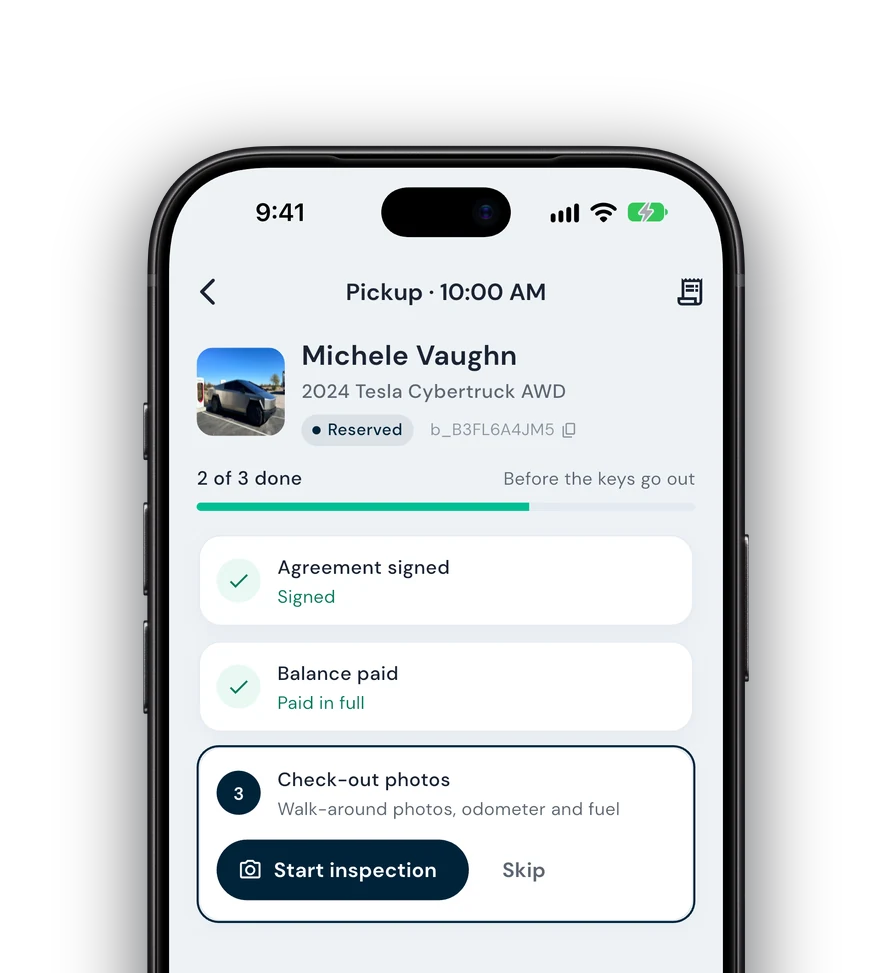
Everything on this page also works from your phone: check renters in and out, collect payments and get agreements signed next to the car, synced with your dashboard.
Guided check-in — signature, payment and photos before the keys go out.
Team roles — lot staff run handoffs without seeing the books.
Trailers, boats & more — every kind of rental on one schedule.