Your questions
Add as many custom fields as a booking needs, in the order you want them.
Every rental is different. Add your own questions to checkout — driver age, a second driver, a delivery address, event details — so the information you need arrives with the booking instead of in a follow-up text.
14-day free trial · No credit card · Included on the Premium plan
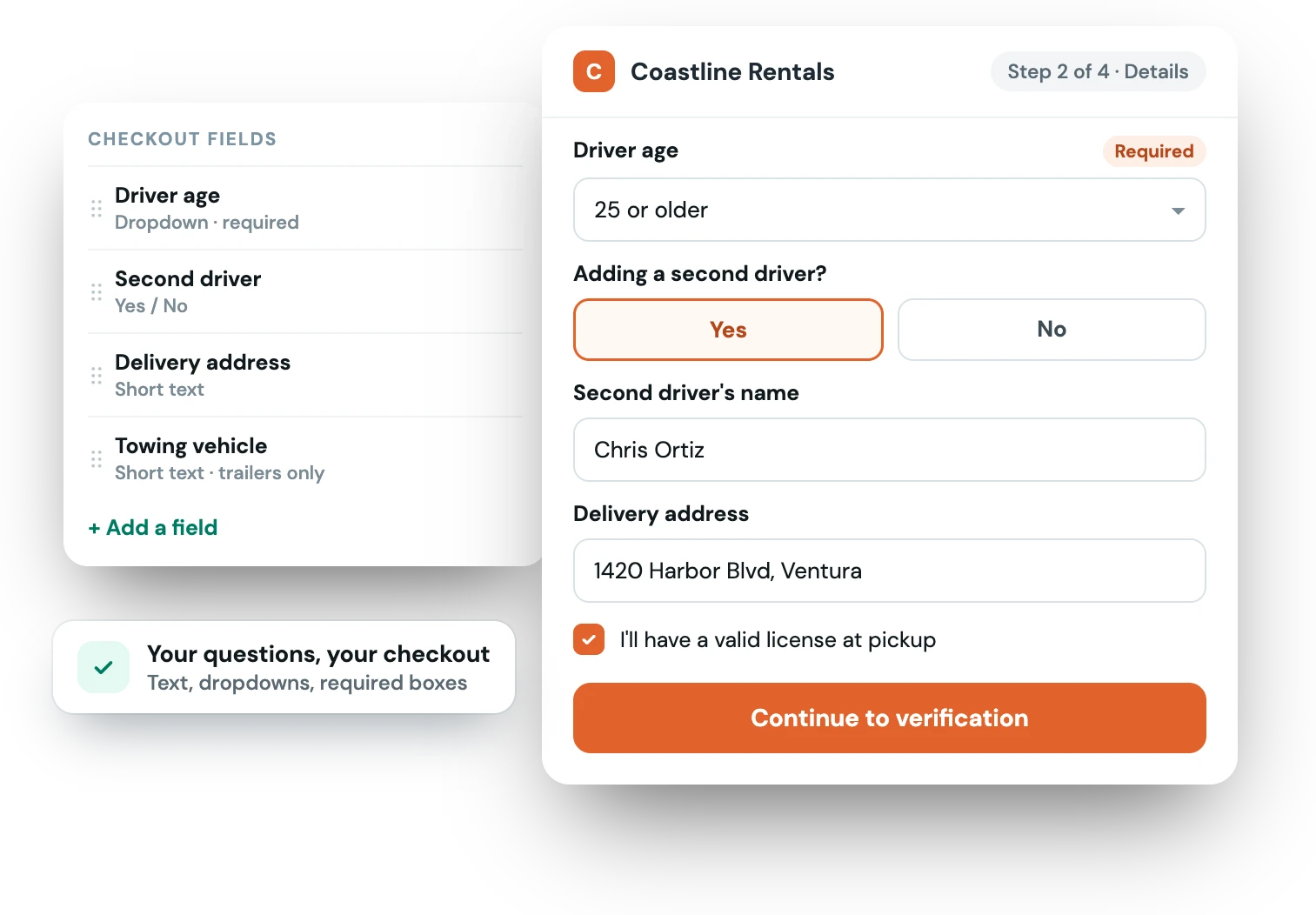
When your booking form only captures a name and dates, the rest becomes a scramble of messages before pickup. Custom fields move those questions into checkout, so nothing important is missing when the reservation lands.
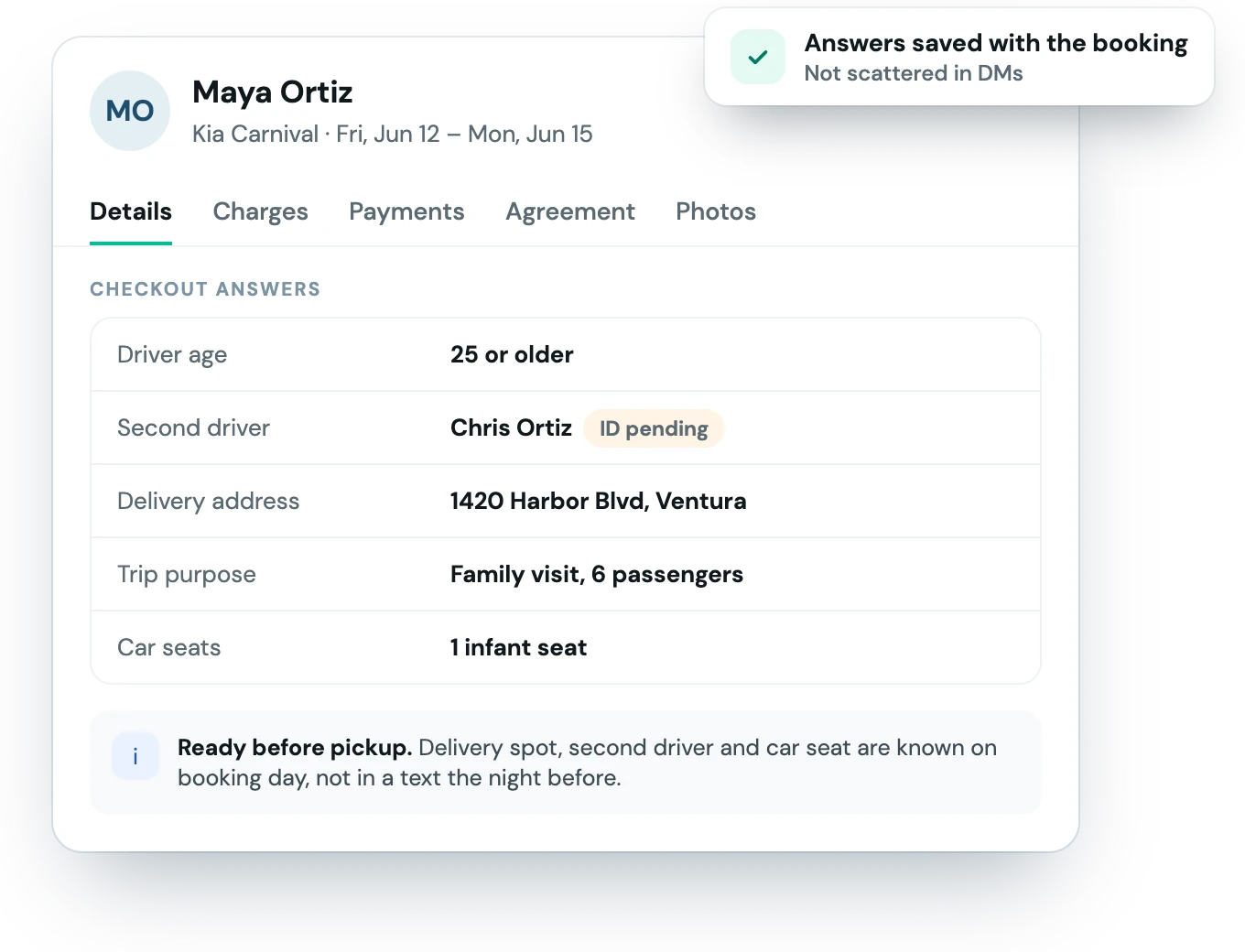
Set up the questions you want and they appear on every relevant booking.
Create the questions you need — short text, dropdowns, or required checkboxes.
The fields show up in the booking flow, so answers come in with the reservation.
Responses are saved to the booking for you and your team to see at a glance.
Cars, campers, trailers, watercraft — ask what that specific rental requires.
Add as many custom fields as a booking needs, in the order you want them.
Capture additional driver details or age requirements up front.
Collect a drop-off address or pickup notes so logistics are set before the trip.
Add text inputs, dropdowns, and required checkboxes — whatever questions your rentals need answered at booking time.
Yes. Mark any field required so a booking can’t complete until the renter provides the answer.
Custom checkout fields are available on the Premium plan. See the pricing page for details.
The Fleetwire app
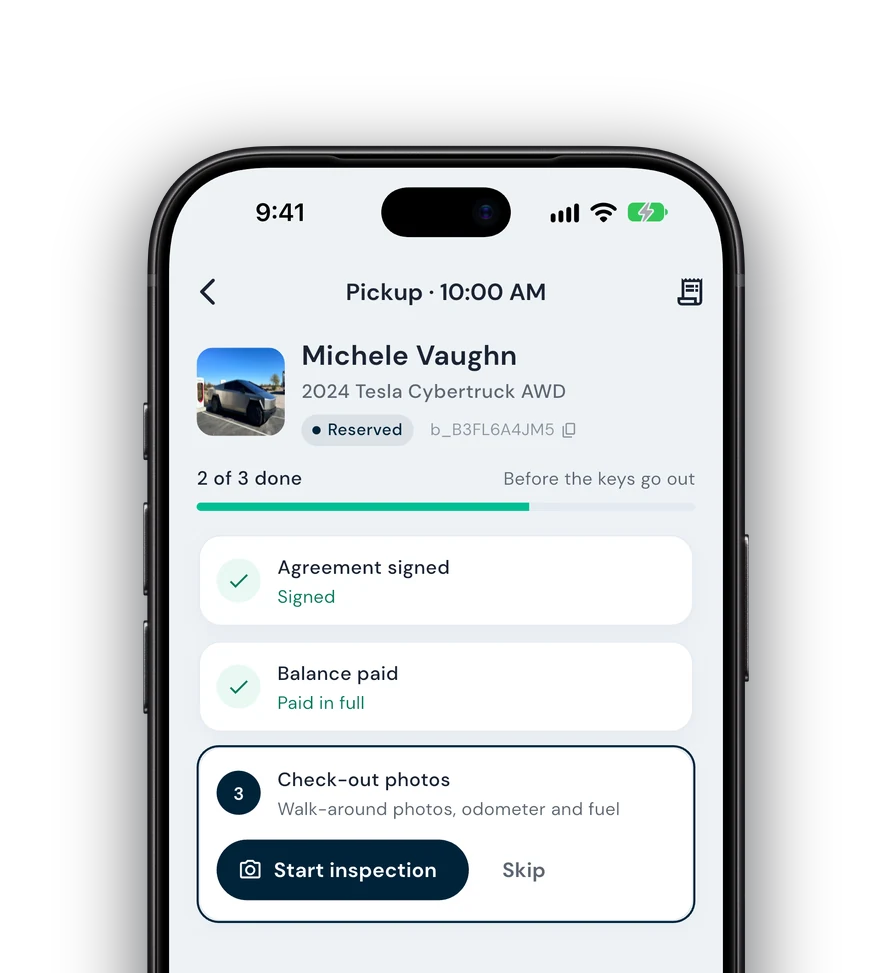
Everything on this page also works from your phone: check renters in and out, collect payments and get agreements signed next to the car, synced with your dashboard.
Guided check-in — signature, payment and photos before the keys go out.
Team roles — lot staff run handoffs without seeing the books.
Trailers, boats & more — every kind of rental on one schedule.